Background collection
The resident service collects while your host is available. Close the Mac control app; Hub keeps running.
 Teslatlas Hub
Self-hosted · Open source · Mac & Debian
Teslatlas Hub collects vehicle telemetry in the background and keeps history on your Mac or Debian host.
01 / The service
The resident service collects while your host is available. Close the Mac control app; Hub keeps running.
Inspect each vehicle and its activity. Explicit climate, wake, lock, lights and horn controls are available where your configuration supports them.
Keep history in local SQLite storage. Create data backups and separately encrypted credential recovery files.
Optionally import supported TeslaMate history over SSH with the Mac migration flow, without modifying the source database.
02 / Choose your host
Build a package for the machine you control. GitHub holds the current build requirements and setup guides.
Apple silicon · macOS 13+
A native management app for setup, vehicles, diagnostics and logs, with a separate background service.
Mac setupARM64 / x86-64 · Debian 13
A native service and CLI for an always-available Linux host. Core-only builds omit Fleet companions; review the guide for your intended setup.
Debian installation03 / Management example
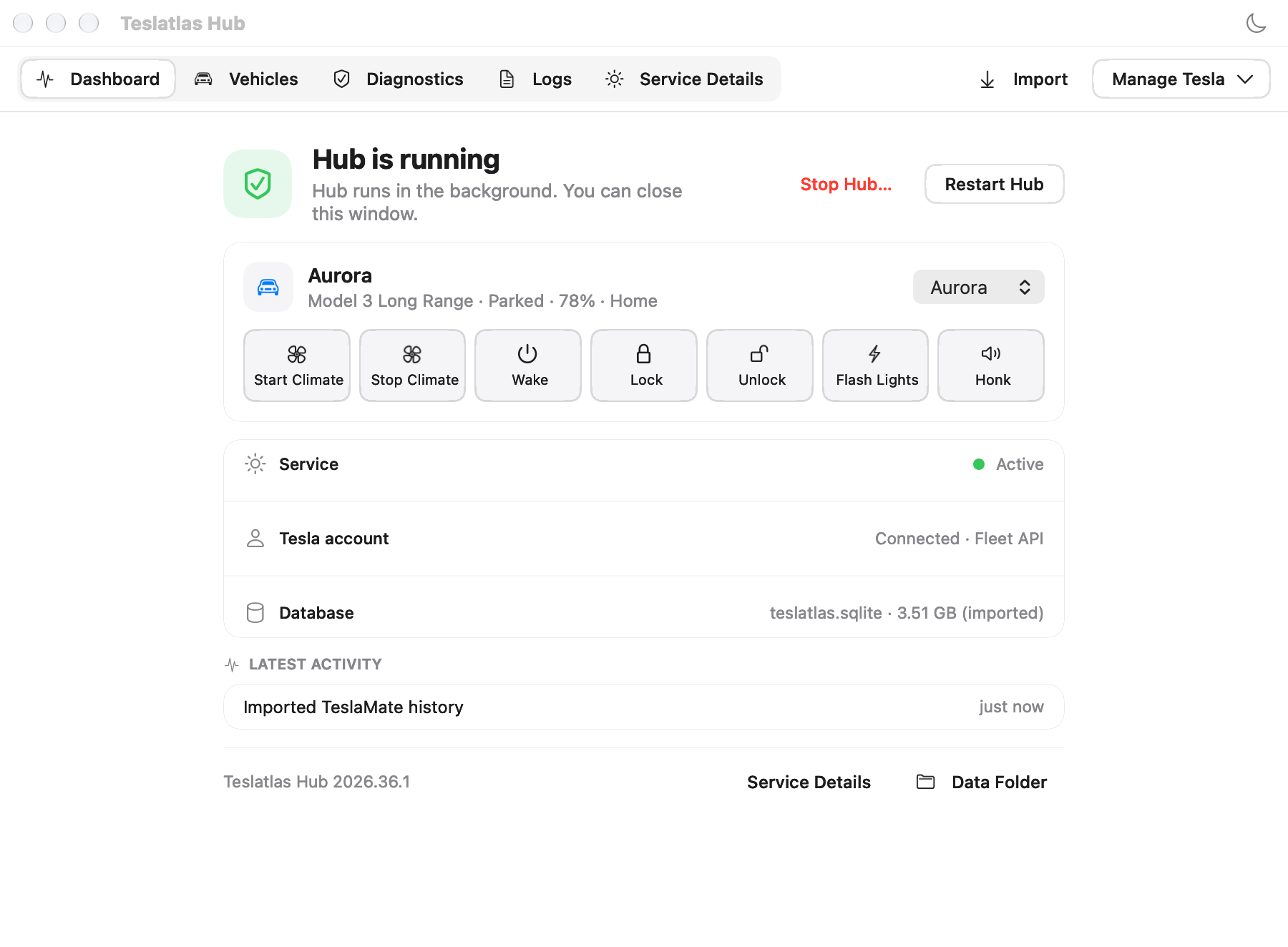
Service status, selected vehicle, diagnostics and recent activity in one place. Check fresh activity as well as process health.
04 / Hub ecosystem
Explore six independent public projects, from everyday integrations to tools for building your own clients. Each project has its own documentation. See companion setup for installation and compatibility.
Reference client for the public Hub protocol.
Hub integration for Home Assistant.
Operator-run Fleet Telemetry ingress.
Build clients using TypeScript.
Build clients using Swift.
Public contracts, schemas, fixtures, and compatibility rules.
05 / Before you start
Hub is distributed as source. Prebuilt releases and installer downloads are no longer provided. Follow the source-build guide. Local Mac builds do not automatically gain trusted signing or notarisation; use the combined installer and review the Mac guide.
Apple-silicon macOS 13+ or Debian 13 on ARM64 or x86-64, plus the toolchain in the build guide. Your host must stay available and connected for collection. Fleet setup needs a Tesla Developer application and receiver configuration; Legacy needs an existing token pair.
No. New installations do not require TeslaMate, Grafana or MQTT. Migration is optional. Read the migration compatibility and data limits and keep an independent backup until you have verified imported history.
No. Closing a window or quitting the control app leaves the service running. Use Stop Hub… to pause collection. An asleep or powered-off host cannot collect data.
Start with troubleshooting and the support policy. Report security issues privately. Review and redact diagnostics before sharing; never post credentials or vehicle history in public issues.